Many people want to use WhatsApp without linking it to their personal phone number. The reasons vary — some want extra privacy, others need dual accounts for work and personal use, while some just want to avoid spam or test the app.
A temporary phone number offers a solution, but it’s not perfect. WhatsApp can sometimes block disposable numbers, and if your temporary number expires, you may lose access to the account. That’s why this method is best for short-term or low-risk purposes, not for your main WhatsApp account.
In this guide, we’ll explain what temporary numbers are, whether they work with WhatsApp, walk you through the signup process, and highlight the pros and cons so you can decide if it’s right for you.
What Is a Temporary Phone Number?
A temporary phone number is a short-term, disposable number that you can use to receive SMS or calls without needing a physical SIM card. These numbers are usually provided through online platforms or mobile apps, and they can be either free (shared by many users) or paid (rented privately for a set period).
Unlike a permanent SIM or eSIM that you own and control, a temporary number is not tied to your identity or long-term use. Once it expires, you lose access to it, and in many cases, the number can be recycled and given to another user.
People commonly use temporary phone numbers for:
- App testing – developers and QA testers verify apps like WhatsApp, Telegram, or new fintech tools without using their personal numbers.
- Keeping work and personal life separate – freelancers or small business owners sometimes use a disposable number for business accounts.
- Protecting privacy – when signing up for online services or trials without exposing a real phone number.
- Short-term communication needs – like travel or temporary projects.
Can You Use a Temporary Number for WhatsApp?
WhatsApp requires every account to be verified with a valid phone number through SMS or voice call verification. This is a security measure to ensure that each user can be contacted through the number they registered.
While in theory you can use a temporary number for this process, the success rate depends on the type of number you choose:
- Free shared numbers: These are often published on websites for anyone to use. Unfortunately, WhatsApp frequently blocks them because they’re abused by spammers, or the number may already be registered to someone else. As a result, you might not receive the SMS code, or the account could get banned quickly.
- Paid private temporary numbers: These are rented exclusively to you for a set time. Since dozens of people do not reuse them at once, they have a much higher chance of working for WhatsApp verification. However, they’re still less reliable than a permanent SIM/eSIM, and there’s always a risk WhatsApp could flag them.
In short, yes, you can sign up for WhatsApp with a temporary number; however, free options are rarely effective. Paid or rented numbers increase your chances of success.
Step-by-Step Guide: Signing Up with a Temporary Number
If you’d like to try WhatsApp with a temporary number, here’s how to do it safely:
Step 1: Choose a Provider
Pick a temporary phone number service. Some commonly used options include:
- TextNow – free numbers in the U.S. and Canada (app-based).
- Receive-SMS – offers shared numbers published online.
- Twilio – paid developer-friendly service for renting virtual numbers.
- SMS-Activate, 5SIM, or similar platforms – paid rental numbers with better reliability.
Tip: Paid private numbers are more reliable than free shared numbers.
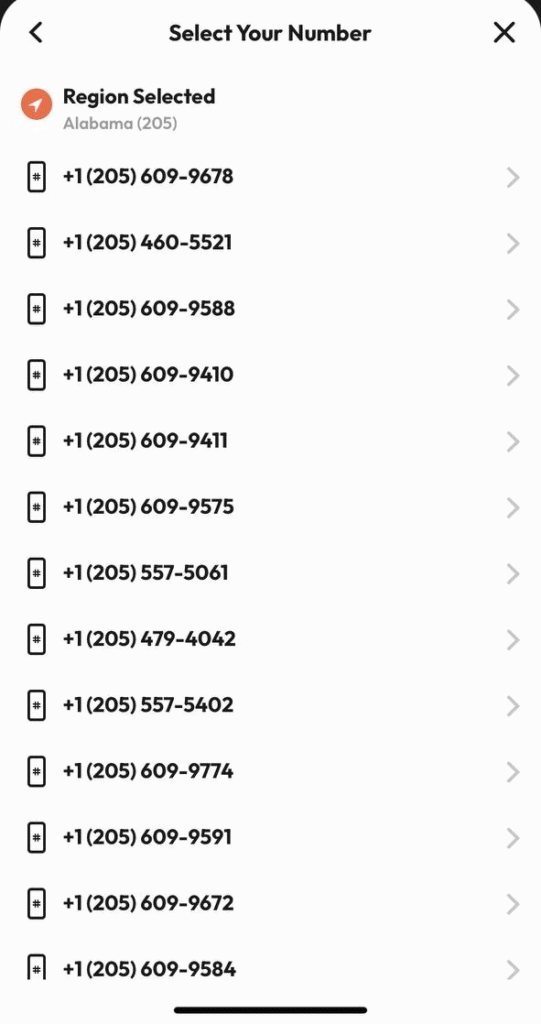
Step 2: Get a Temporary Number
Sign up with your chosen provider and generate or rent a number. Make sure you select the correct country code if WhatsApp requires it.
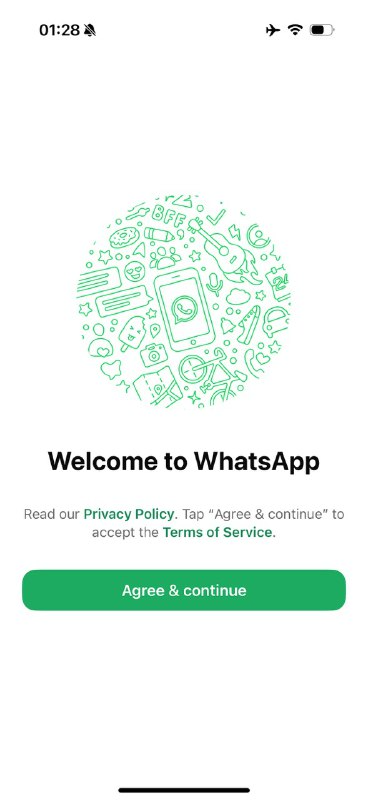
Step 3: Open WhatsApp
Download or open WhatsApp on your device, then tap “Agree and Continue” to begin the registration process.
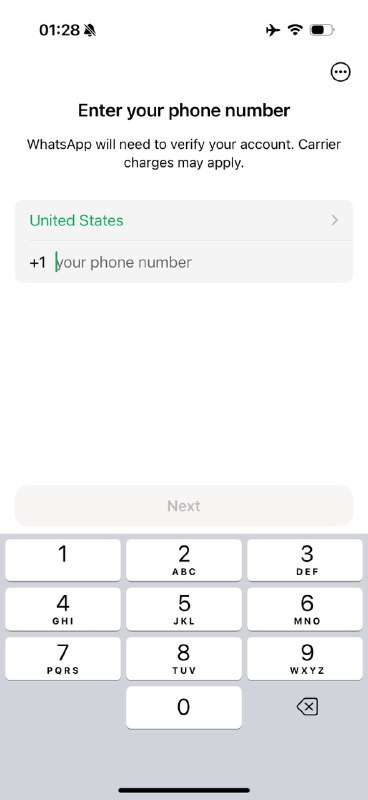
Step 4: Enter the Temporary Number
Enter your temporary number, ensuring the country code is correct. Double-check before continuing.
Step 5: Wait for the Verification Code
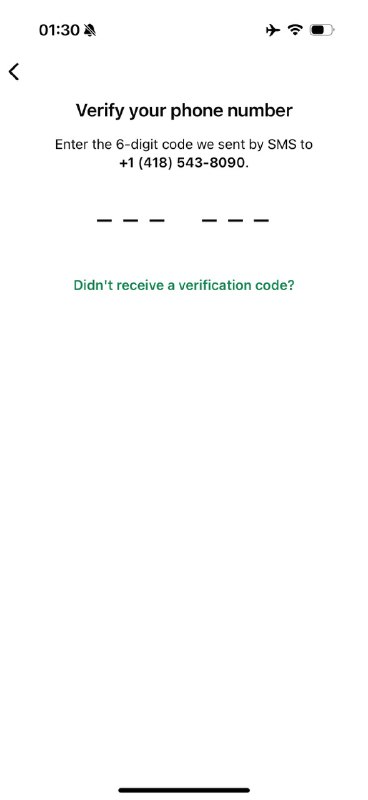
WhatsApp will send a 6-digit code via SMS. Go back to your provider’s dashboard/app and check for incoming messages.
If SMS does not arrive, choose the “Call me” option to receive the code by voice.
Step 6: Enter the Code in WhatsApp
Copy the code into WhatsApp. If it’s correct, your account will be activated.
Step 7: Set Up Your Profile
Add your name, profile picture, and adjust your privacy settings. You’re now ready to use WhatsApp with your temporary number.
Pros and Cons of Using a Temporary Number for WhatsApp
| Pros | Cons |
| Protects your privacy – you don’t have to expose your real phone number. | Risk of losing access – once the number expires, you can’t recover your WhatsApp account. |
| Lets you create dual accounts (e.g., personal and work) on the same device. | Unreliable for long-term use – free/shared numbers often stop working suddenly. |
| Useful for testing WhatsApp features or business tools without risking your personal account. | Higher chance of account bans or verification failure if WhatsApp detects a known temporary number service. |
| It can help avoid spam on your personal SIM card. | Customer support and recovery are harder compared to permanent numbers. |
Conclusion
You can sign up for WhatsApp with a temporary phone number, but it comes with limitations. Free numbers are often blocked or unreliable, while paid private numbers have a higher success rate but still carry risks.
This method is most effective if you require WhatsApp for short-term projects, testing, or privacy-focused accounts. However, if you’re looking for a stable, long-term WhatsApp account, a permanent SIM or eSIM is a safer choice.
Before you decide, weigh the convenience and privacy benefits against the risks of losing access or facing account bans. Used wisely, temporary numbers can be a handy tool — but they shouldn’t replace a secure, permanent solution for your main communication.
FAQ
1. Can I use WhatsApp without my real number?
Yes. You can sign up with a temporary or virtual number, but it’s less reliable than using your personal SIM.
2. Do free online numbers work for WhatsApp?
Usually not. Free shared numbers are often blocked or already in use. Paid private numbers work better.
3. What happens if my temporary number expires?
You’ll lose access to your WhatsApp account if you ever need to re-verify.
4. Can I have two WhatsApp accounts on one phone?
Yes. You can register one with your personal SIM and another with a temporary number or a WhatsApp Business account.
5. Will WhatsApp ban me for using a temporary number?
Not always, but there’s a higher risk if the number is flagged or abused by others.
6. What’s the safest alternative to a temporary number?
Using a second SIM, eSIM, or virtual number service (like Google Voice, where available) is more reliable.